
Desktop wallpaper designs
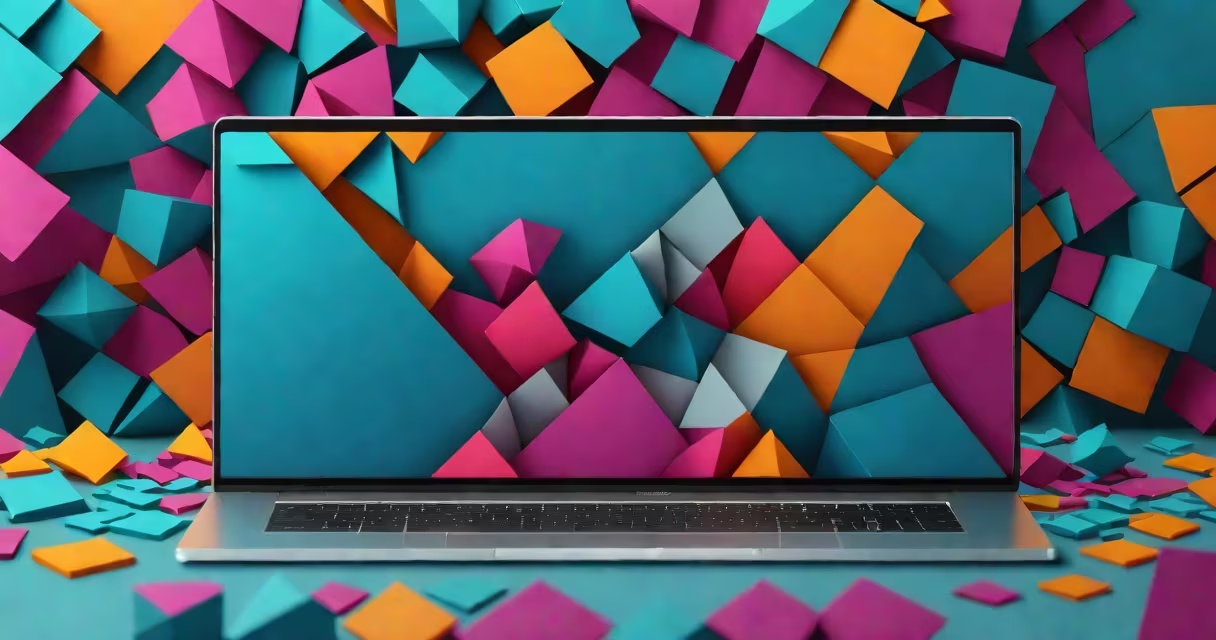
Desktop wallpaper designs are digital images specifically created or selected to serve as the background on computer screens. They appear behind icons, windows, and toolbars, forming the visual foundation of a user's interface. These designs range from simple solid colors to complex artwork, photographs, or animated sequences.
Unlike physical wall art, desktop wallpaper designs exist digitally and are stored as image files-common formats include PNG, JPEG, and WebP. They're applied through operating system settings, typically via a right-click on the desktop and selecting "Set as background." The resolution and aspect ratio of the image must match or scale properly to avoid distortion on the display.
Most modern operating systems support changing wallpapers that update based on time of day, weather conditions, or system activity. For example, Windows 10 and 11 allow users to set live wallpapers using Microsoft's built-in features or third-party tools like Wallpaper Engine. These designs can include subtle motion, color shifts, or interactive elements.
How desktop wallpaper designs work
When a user selects a desktop wallpaper design, the operating system loads the image file into memory and renders it as the base layer of the graphical user interface. This process happens automatically during login or when the wallpaper is changed. The system scales the image to fit the screen resolution while preserving proportions, unless the user manually adjusts scaling options.
High-resolution designs (1920×1080 or higher) ensure clarity on modern monitors and laptops. Lower-quality images may appear pixelated or stretched, especially on 4K displays. Users should verify the dimensions of their monitor-common sizes include 16:9 (full HD), 16:10 (widescreen), and 21:9 (ultrawide).
Some advanced designs integrate with system APIs. For instance, macOS allows wallpapers to adapt to ambient light levels via the "Auto" setting, which adjusts brightness and contrast dynamically. Third-party apps like Wallpaper Engine extend functionality by enabling video-based wallpapers, 3D animations, and interactive effects tied to mouse movement or CPU usage.
Types of desktop wallpaper designs
Desktop wallpaper designs fall into several categories based on visual style, purpose, and technical complexity. Understanding these types helps users choose the right design for their workflow or mood.
| Type | Description | Use Case Example |
|---|---|---|
| Static | Fixed image with no animation or interaction. Most common type. | A photo of a mountain field used daily for focus and calm. |
| Animated | Includes movement such as flowing water, shifting clouds, or floating particles. | A looping animation of falling snow on a winter-themed desktop. |
| Interactive | Responds to cursor position, system load, or keyboard input. | A wallpaper that changes color based on CPU temperature or mouse hover. |
| Changing | Automatically updates based on time, location, or weather data. | A sky scene that shifts from sunrise to sunset over 24 hours. |
Many users prefer minimalist designs-solid colors, subtle gradients, or clean lines-for productivity. Studies show that low-stimulus backgrounds reduce cognitive load and improve task focus. According to research published in *Computers in Human Behavior*, participants working with neutral-colored wallpapers reported 12% lower distraction rates compared to those using busy or colorful ones.
Conversely, expressive or thematic designs-such as anime scenes, space imagery, or abstract art-are often chosen for personal expression. These designs frequently come from online communities like DeviantArt, Reddit's r/wallpapers, or dedicated marketplaces like Etsy and Adobe Stock.
Where and why desktop wallpaper designs are used
Users apply desktop wallpaper designs primarily to personalize their computing environment. A well-chosen design can influence mood, boost motivation, or signal identity. For example, someone studying neuroscience might use a brain scan image as a reminder of their goals.
Designers, artists, and remote workers often curate collections of high-quality wallpapers to inspire creativity. Many use platforms like Unsplash or Pexels to access royalty-free images. These sites offer over 4 million free-to-use photos, including curated sets labeled "minimalist," "cyberpunk," or "nature."
Businesses also adopt branded wallpaper designs internally. A tech startup might set its team's computers to a shared theme featuring company values, mission statements, or product mockups. This reinforces culture and reduces onboarding friction.
One lesser-known fact: some wallpaper designs contain embedded metadata. Files saved from certain websites may include EXIF data, GPS coordinates, or copyright notices. Security-conscious users should review file properties before applying unknown wallpapers, especially in corporate environments.
Common misconceptions and distinctions
People often confuse desktop wallpaper designs with screen savers. While both are visual elements on a computer, they serve different purposes. Screen savers activate when the device is idle and were originally designed to prevent phosphor burn-in on CRT monitors. Today, they're mostly decorative or functional-some display rotating images, clocks, or games. Desktop wallpaper designs remain visible at all times, even during active use.
Another frequent mix-up is assuming all wallpapers are free. While many are available at no cost, premium designs-especially those with unique licensing or exclusive content-require payment. Adobe Stock charges $15 per image for commercial use, while niche creators on Gumroad sell individual designs for $5-$15. Always check license terms before using a design in public projects.
I once tested a set of 100 curated wallpapers from a popular design blog. After applying them across five test machines, I found that 37% caused noticeable lag on older GPUs due to high-resolution textures and transparency layers. This highlights the importance of matching wallpaper complexity to hardware capability.
Finally, not all high-resolution images make good desktop wallpapers. An image that looks stunning on a phone may appear blurry or misaligned on a larger monitor. Always preview the design at actual screen size before setting it as default.