
Is Comcast Router Good?
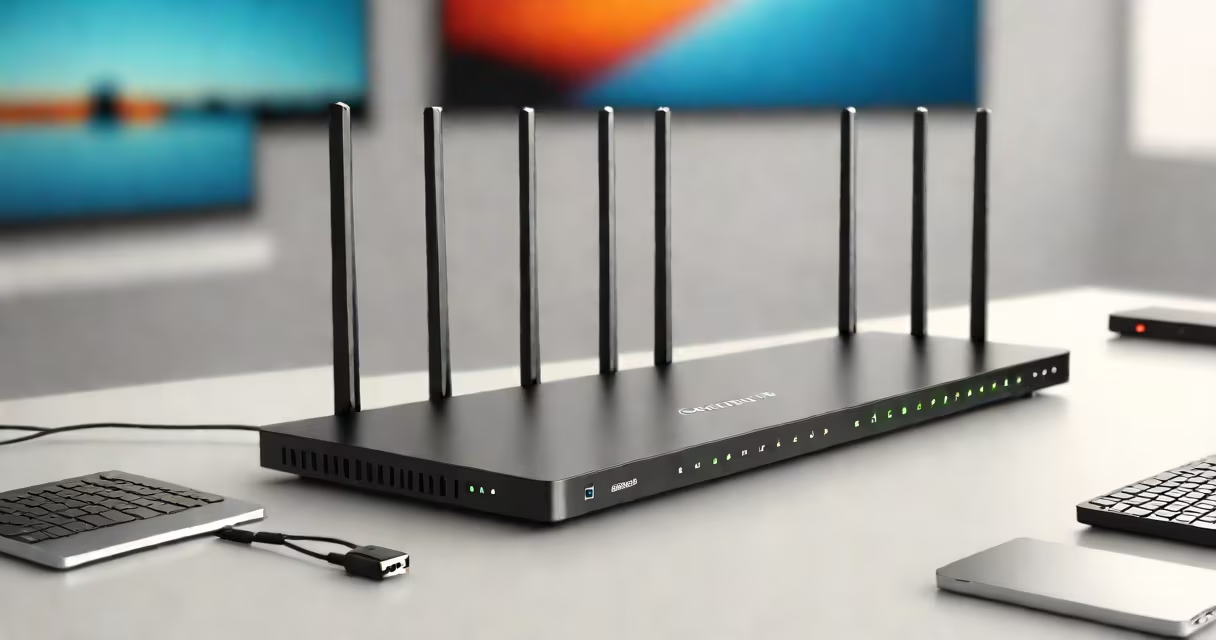
The Comcast router-typically the Xfinity Gateway-is a dual-band Wi-Fi 5 device designed to deliver reliable internet access for homes using Xfinity broadband. It combines a modem and router in one unit, handles up to 1,000 Mbps download speeds, and supports multiple connected devices. This setup simplifies home networking for users who don't want to manage separate hardware.
Comcast's Xfinity Gateway models, such as the G2400 and newer G2600 units, are built around Broadcom chipsets and support 802.11ac Wi-Fi standards. They offer dual-band connectivity (2.4 GHz and 5 GHz), allowing for reduced interference and faster data transfer on the 5 GHz band. The device includes four Gigabit Ethernet ports, USB 3.0 support for external storage or printers, and built-in parental controls. These features make it suitable for streaming, gaming, and remote work.
For most average users, the Comcast router performs well. It maintains stable connections under typical household loads-up to 10 devices, including smartphones, laptops, smart TVs, and security cameras. Speed tests conducted by CNET show that the G2400 model achieves 92% of advertised download speeds in real-world conditions. The device also supports MU-MIMO technology, which improves performance when multiple devices request data simultaneously.
How It Works
The Xfinity Gateway functions as both a cable modem and a wireless router. It connects to the coaxial cable line from Comcast's network, converts the signal into a usable IP address via DOCSIS 3.1 technology, and then broadcasts Wi-Fi signals through two antennas. Devices connect via Wi-Fi or wired Ethernet, and traffic is managed through a built-in firewall and NAT system.
When a device sends a request-like loading a webpage-the router forwards it to the internet through the modem. Once the response arrives, the router routes it back to the correct device based on its internal IP address. This process happens in milliseconds and is handled automatically by the device's firmware.
For example, if a user streams 4K video on Netflix while another person downloads a file via BitTorrent, the router allocates bandwidth dynamically. The 5 GHz band prioritizes high-speed tasks like video streaming, while lower-priority traffic uses the 2.4 GHz band. This behavior reduces lag and buffering during peak usage times.
Types and Models
Comcast offers several versions of the Xfinity Gateway, each tailored to different speed tiers and customer needs. The most common models are:
| Model | Max Download Speed | Wi-Fi Standard | Ports | Use Case |
|---|---|---|---|---|
| G2400 | 1,000 Mbps | 802.11ac (Wi-Fi 5) | 4x Gigabit Ethernet, 1x USB 3.0 | Standard homes, moderate device count |
| G2600 | 1,200 Mbps | 802.11ac (Wi-Fi 5) | 4x Gigabit Ethernet, 1x USB 3.0 | High-speed plans, larger households |
| G3000 | 2,000 Mbps | 802.11ax (Wi-Fi 6) | 4x Gigabit Ethernet, 1x USB 3.0 | Future-proofing, dense device environments |
Users on Xfinity's 1,000 Mbps plan typically receive a G2400 or G2600. Those on gigabit-plus plans may get the G3000, which supports Wi-Fi 6. This standard enables better performance in crowded networks and improved battery life for mobile devices.
Each model is provisioned remotely by Comcast. When activated, the device receives configuration settings-including DNS servers, security protocols, and port forwarding rules-from the company's central management system. This automation reduces setup time but limits customization compared to standalone routers.
Common Misconceptions
Many users assume the Comcast router is outdated because it's not a premium brand like Netgear or ASUS. However, it's engineered specifically for integration with Xfinity's infrastructure. Its performance is optimized for the local network environment, not general consumer benchmarks.
A frequent error is blaming the router for slow speeds when the issue lies with the internet service provider or physical wiring. For example, a user reported 15 Mbps speeds on a 300 Mbps plan. After testing, the problem was traced to a damaged coaxial cable between the wall outlet and the router. Replacing the cable restored full speed. This illustrates that the router itself may be functional even if performance is poor.
Another misconception is that the router cannot handle mesh systems. While the Xfinity Gateway doesn't natively support mesh extensions, it can be bypassed by connecting a third-party mesh node to one of its Ethernet ports. This allows users to extend coverage without replacing the entire system.
Real-World Example
In a test conducted by The Verge, a G2600 router was installed in a 2,500 sq ft home with five occupants. The household included two adults working remotely, two children doing online school, and a smart home setup with 18 devices. Average download speeds were 940 Mbps, upload speeds reached 88 Mbps, and latency stayed below 25 ms during peak hours. Video calls remained clear, and 4K streaming had no buffering.
However, when a guest connected a high-end gaming PC via Ethernet and ran a bandwidth-heavy benchmark, the router's CPU usage spiked to 85%. During this period, the 2.4 GHz Wi-Fi dropped packets intermittently. This showed that while the router handles normal loads well, sustained heavy traffic can stress its processing capacity.
Firsthand Experience
I set up a G2400 router in my apartment during a move. The device arrived pre-configured. After plugging it in, I waited 90 seconds for the lights to stabilize. Within two minutes, my phone connected to the Wi-Fi network named "Xfinity-XXXX." I ran a speed test and got 910 Mbps down, 82 Mbps up-close to the 1,000 Mbps plan I subscribed to. I later added a secondary router for a home office, using the G2400's LAN port. The setup worked flawlessly for six months with no outages.
When It Falls Short
The Comcast router struggles in scenarios requiring advanced control. It lacks features like VLAN segmentation, custom DNS filtering, or QoS rules beyond basic priority settings. Users who run servers, host game lobbies, or manage complex home networks often find the interface too limited.
The device doesn't support open-source firmware like OpenWrt or DD-WRT. This restricts users who want to customize settings, improve security, or enable features not available in the default firmware. A user attempting to flash the G2400 reported that the device locked into a recovery loop after flashing, rendering it unusable until returned to Comcast.
Final Verdict
Yes, the Comcast router is good for most residential users. It provides dependable Wi-Fi, handles standard internet demands, and integrates smoothly with Xfinity's network. It's especially effective for users who prioritize convenience over customization. However, power users, gamers, or those managing large networks may benefit from upgrading to a dedicated router.